Measuring network quality in Mac OS Monterey
By Admin,
In Mac OS 12 Monterey, the networkQuality utility appeared in the command line - it allows you to measure the speed of your network connection (download and upload) and also something Apple calls Responsiveness (RPM).
RPM is the number of consecutive round-trip transmissions, or transactions, that a network can perform in one minute under normal operating conditions. the more the better. Especially for video conferencing and other demanding applications.
The test rates everything as Low (may not be enough for FaceTime or games), Medium (may experience momentary glitches) and High where everything should work without limitations.
What you won't see is latency. For something like this you have to choose other utilities, like the traditional Speedtest.
Open Terminal.app, type networkQuality and press Return.
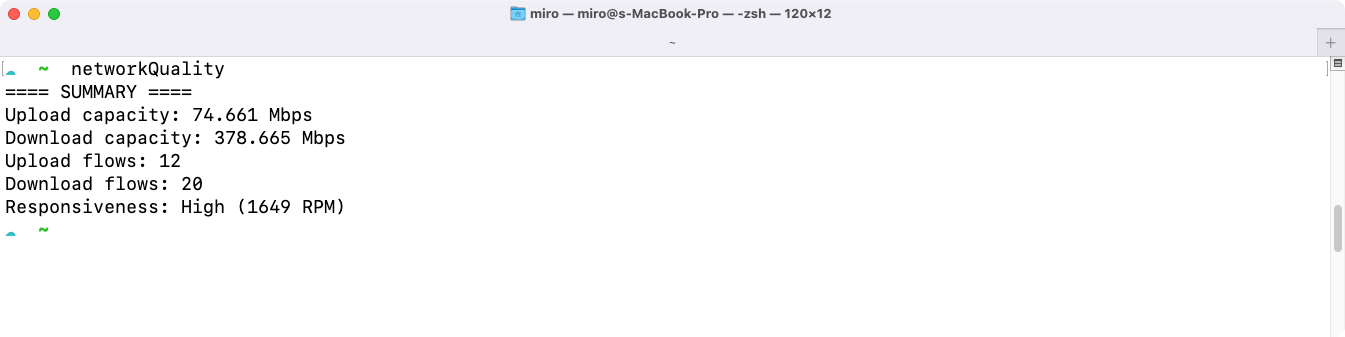
You can get help via man networkQuality, including possible parameters. The most interesting parameter there may be -s to switch the measurement from parallel to sequential. By default, it is a parallel measurement, downloading and uploading happen simultaneously.